Call Log Types
Call Logs Types allow you to track and report on the type of calls that are being made/received. You can add new and edit the default call log types except for System and System Letter. These two types are unique within the system.
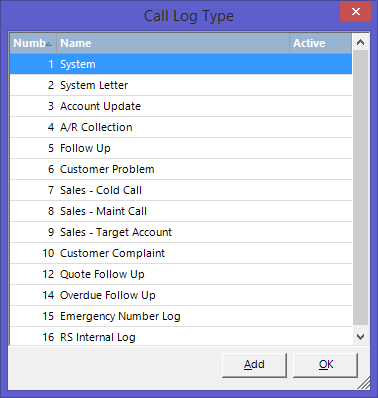
If you create a new Call Log type of "Called off Rent or "Called Rent Log" each time you do a call off rent, that call log type will automatically be selected. This allows you to run reports showing all Called Off's and set System Notification to immediately notify the Dispatcher if a contract is called off. In addition, you can create the call log type as "Called Off Rent Log” it will automatically add the following text to the line item comments of each item called off: "Called Off # xxx on MM/DD/YYYY for MM/DD/YYYY. This information will print on the contract.
Call Log Types:
"Called Off Rent" if this call log type exists it will be used on the call log created from the off rent procedure. This call log type is also used from the call off procedure from Mobile Workforce.
"Called Off Rent Log" if this call log type exists it will be used on the call log created from the off rent procedure and it will add to the line item comment for each item being off rented the call off number and the date and time. (preferred).
To set up the call log type of your choice, please go from the Program Menu>System Configurations>Transaction Configuration>Call Log Types
Add your preferred type of "Called Off Rent Log" or Call off Rent" and save. Please be sure to open a new Counter System for this to be implemented.
1. When you go to close a contract and select Call Off Rent the log type will be selected automatically
2. A note with the off-rent number and time will be added to the line item comments for all items included in the off-rent