Troubleshooting
•Salesforce user locked out
o User must reset password and send password and token to Point-of-Rental support to update in Jitterbit
•Send message to customer asking for new password, token and TeamViewer session info
Good morning! It looks like it is time to reset your SalesForce password and security token (directions for obtaining the token here).
Please email me with the new password, token and TeamViewer session and I will update the interface for you.
Thanks,
Actual Link: https://help.salesforce.com/HTViewHelpDoc?id=user_security_token.htm&language=en_US
•When the customer responds with the password, token and TeamViewer session:
o Connect with TeamViewer
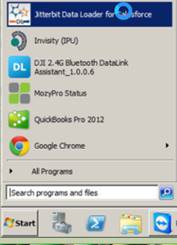
o Open JitterBit Data Loader for SalesForce by clicking on the shortcut or searching under all programs
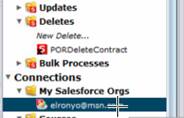
•Once Jitterbit is open, go to the “My Salesforce Orgs” section and double-click on the customer email address
•Enter the new password into the Password field and the new token into the Security Token field. Check the Show password and Show token checkboxes to validate the right information has been entered
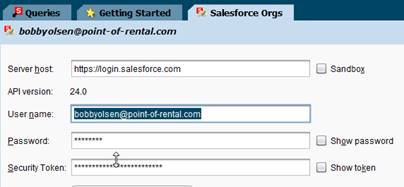
•Click the Test Salesforce Login button below to verify the new password and token work.

•Notify the customer that the update is complete.
•Salesforce has an option for password does not expire – verify with customer and change
•Log file is located at C:\POR\SalesForceSync\Logs