Transaction Types
Transaction Types allow you to break out your contracts by types such as “New Construction”, “Birthday”, “Anniversary”, “Yearly Event”, etc. This allows you to get a better idea of how much business you do based off that type of Transaction. To setup your Transaction Types go to Configuration and then Transaction Types.
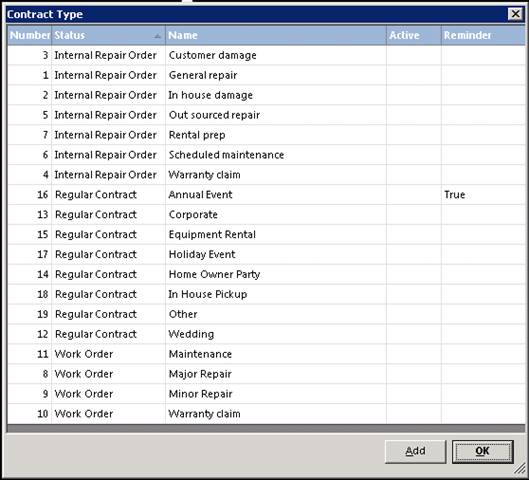
To add a new contract type, select the add button, and fill in the appropriate fields:
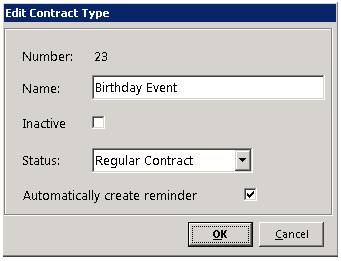
Name: Enter the name of the contract type (Corporate Event Wedding)
Inactive: Check this box if you want to make the contract type inactive.
Status; Select from the drop-down menu, the contract status (Regular Contract, Work Order, Maintenance)
Automatically create reminder: Check the box if you want to have a reminder created when closing the contract.
* Note: To set reminder, you will need to select the transaction type from within the contract under information tab. Once the contract is closed, you will be prompt to set the reminder.