Showing Zero Qty on the Website
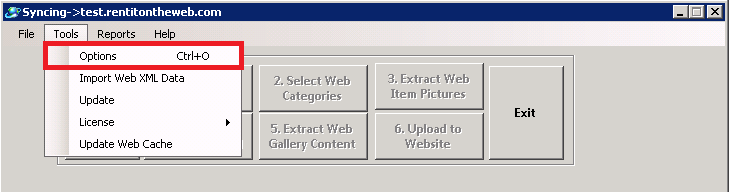
Overview: If there are items that are zero quantity and you want those items to show up on you website you can go into Configurations->Other Updates->Update Website. Then you go to Tools and click Options.
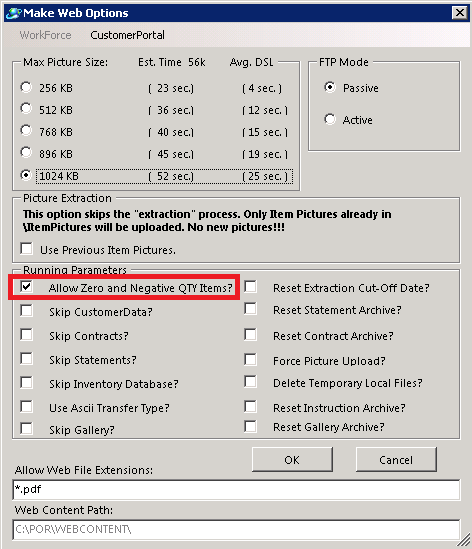
Once you are in Options then you will go to the Running Parameters and check the box for “Allow Zero and Negative QTY Items.
Note: If there are any items that are zero qty that you don’t want to show on the website, you have to mark in the item record “Hide on Website”.