Saved PDF Files
When an End of Months is run, Point of Rental will save a copy of selected reports to your hard drive. You can easily access them through your Point of Rental program.
From Program Menu go to Accounting Reports Menu, select Saved PDF Files.
Below is a list of reports that are automatically stored on the last day of month after the End of Month has been completed.
Type of reports you can view:
Account Summary Account, Account Summary Cash, Inventory Value Parts, Inventory Summary Sales, Inventory Summary Rental, Suspense Fund
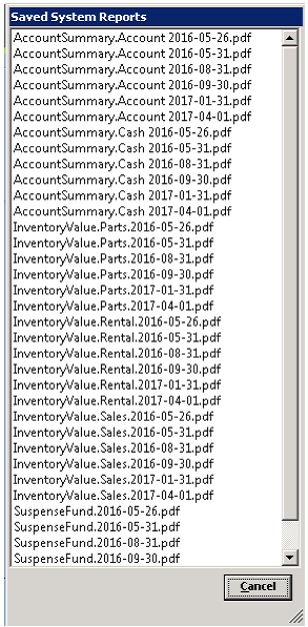
You can view any of these reports by clicking of the selected file. Reports are listed by Name, Year-Month-Day format.
