Sales Reps
The Point-of-Rental Systems allows you to define an unlimited number of sales reps. Once you select the Sales Rep option, you will need to enter the owner or regional manager’s level password. Next you will see the following screen:

You can click on any of the sales rep to edit their information or click on Add to add new sales rep. The sales rep can be selected by customer within the customer record from the sales rep drop down box. The sales rep can also be selected by contract from the sales rep drop down box on the Information tab from Counter System. The sales rep reports can be printed from the Accounting System, Accounting Reports.
The sales rep record will look like this:
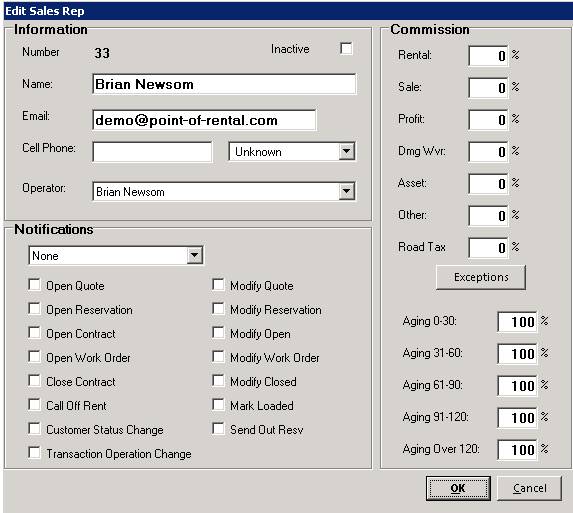
Operator – This is usually the same name as the Sales Rep listed above. Some companies do not have sales rep who use the software, but are still sent notification about their customers contract status.
Notifications
You can send your salesmen a notification each time an even occurs. Select what type of Notification to send such as “By Email”, “By Text”, or “By Interoffice Email”. Then select the events that they want to be notified.
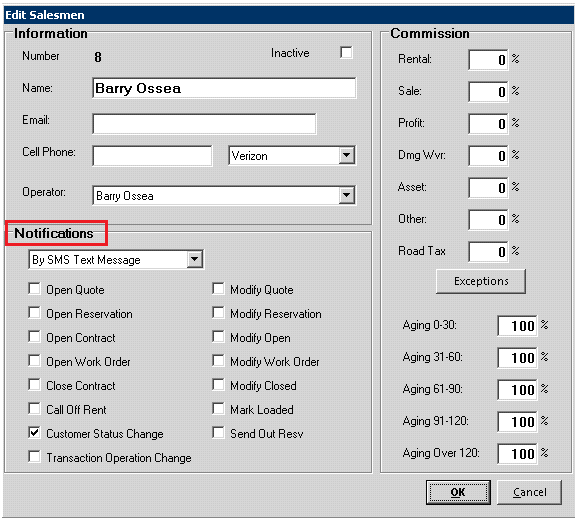
* Note: There are 15 different operations with check boxes next to them. The sales rep will receive notifications based on the settings selected and when that function happens on a contract or a customer record.
Commission – Enter the commission percentage of each type of income. You can also modify the amount of commission paid based on the length of time the customer took to pay the contract.
Exceptions
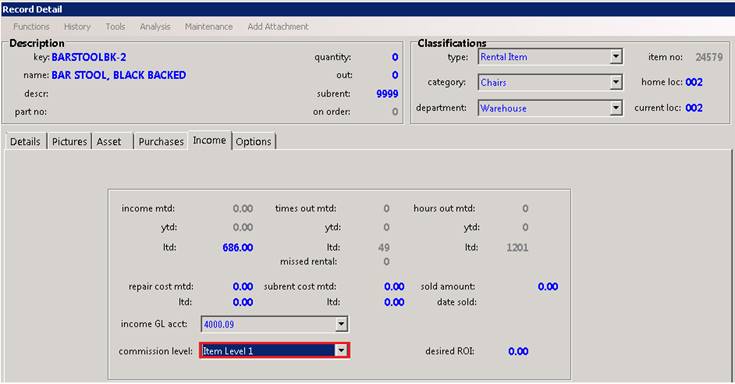
Allows you to set the commission percentage level to an item category or item record. When an item level is set, the sales rep will receive the appropriate commission when either an item from the category or individual item itself is entered on a contract.
Item Category

Item Record Level