Reversing a Credit Memo
If you have a credit memo that was created by mistake and no money is due back to the customer, you can modify a credit memo thru the contract, cancelling the credit memo.
Account Customers:
•Make sure in Customer File, customer is set up as an Account Customer
•In parameters, System Configurations>Accounting tab>Adjustments
•Check the box “Saved Closed Accounts Mods for Adjustments.
-
From either the Customer Balance. You can select the credit memo. The credit memo will show that amount of money due back to the customer. If this is incorrect, you can modify the credit memo.
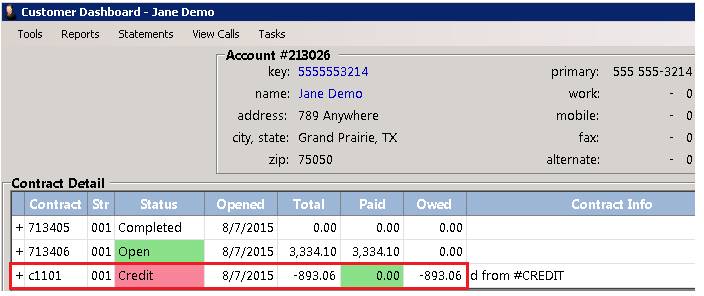
2. Right click on the credit memo and select modify contract.
3. You will be prompt a message that you are unable to modify, would you like to remove the credit, select yes, this will delete the credit memo.

4. Once you select yes, you will see that the credit memo has no money due back and has a balance of zero.

5. Once the credit has been cancelled, if you must go back into the closed contract, it will prompt you that a credit was issued and cancelled.