Reports
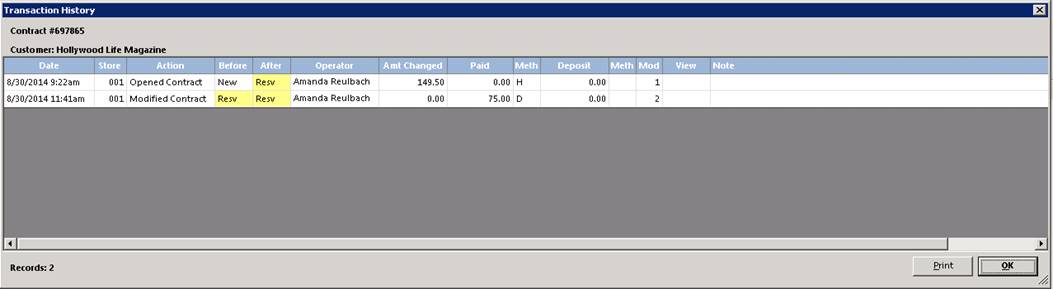
Transaction Edit: This option will print a summary of each
modification done to the contract. The screen will look like the
following:
Related Contracts: This option allow you to see related transaction to the contract. (ex) Subrentals, Work Orders, etc.

Print Instructions: This option allows for the safety instructions for the items on this contract to be printed. This is useful to reprint the instructions for the customer or print them at the time of reserving the items.
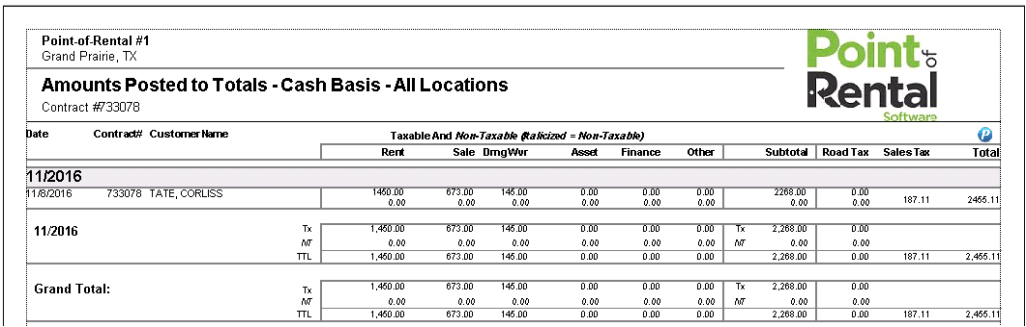
Amounts Posted to Totals: This report allows you to create a Task right from the contract screen.
•Note: If the parameter is set to save a copy of each contract modification, you can click in the red View box to view a copy of the contract.
Route Status: This report allows you to see the status of an assigned route. You will be able to see the what stage the route is in, (Planning, Loading) the Trip name, Route #, Truck # Estimated time of arrivals. You will also be able to see the Planned vs the Actual time of the drivers stops.
