Recapitalization
Overview: Allows you to add value to an existing item, then separately capitalize the increase. You can manually add the recapture line in the Item record under Purchase Details or you can write and IRO for the unit.
Close the Internal Repair Order and add the labor cost to the Internal Repair Contract.
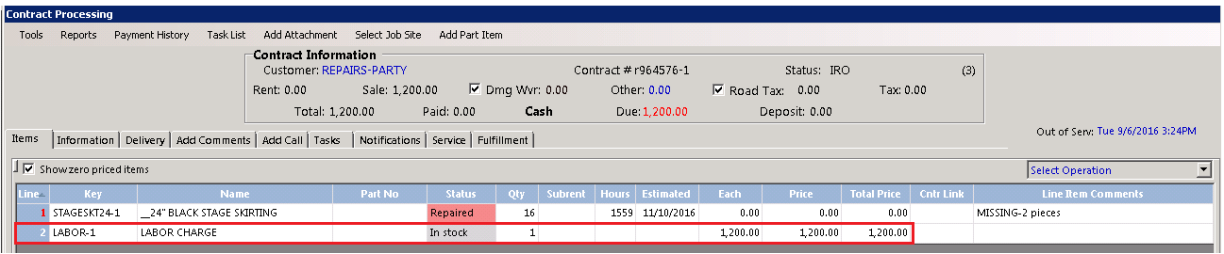
Once the Internal Repair Order is closed, Modify or Inquire the repair contract and go to tools in the upper right corner of the contract. You can select Add Repairs to Improvement.
Note – Until the Repair is $1000 or over, this option will not be available.

•Note – Item on Intermetal Repair Contract must be a serialized item.
Once selected, you will receive a message, if you would like to add the cost to the purchase price. You can answer Yes or No. If you answer YES to capitalize the expense, the repair cost and date will automatically be added to the purchase details in the item record.

Enter a description of the enhancement

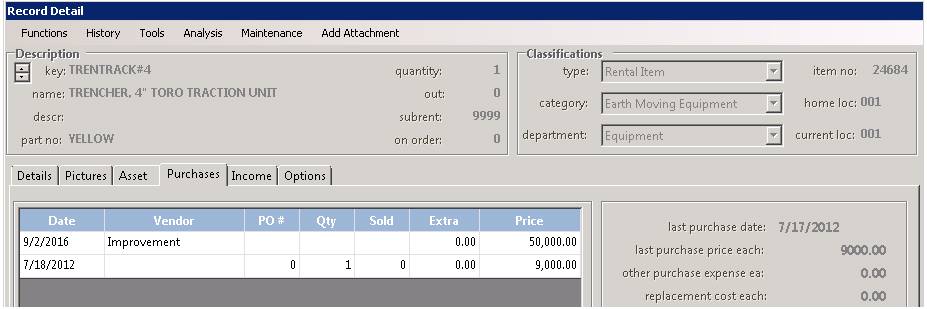
If you want to change the depreciation method or years, you would modify the item and select the Purchase Detail to enter specific values.