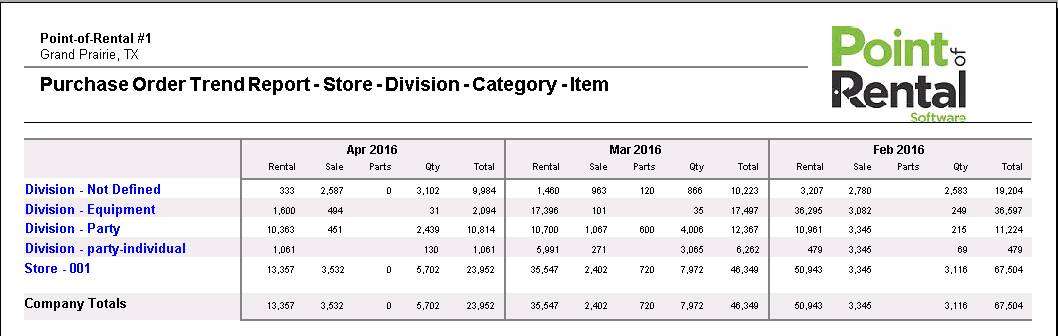
PO Trend Report
This analysis report shows the dollar value of purchases broken out for rental inventory, resell and parts for three users define periods. This report can be grouped by Company, Store Division, Category, Vendor, Item or Month.
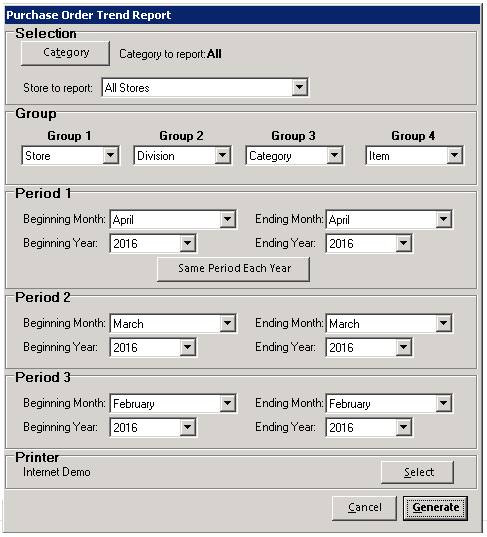
You can select Purchase Order Report from the reports tab, located in the top of your purchase order display. Select reports>PO Trend Report.

Once selected, you will be able to select by Groups and Periods.
The report will look like the following:
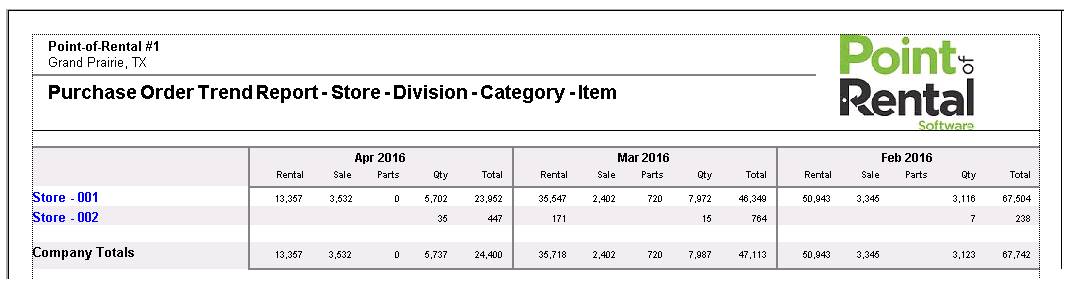
You can double click on the store listed in blue font to view more detailed information.