PO Payment Method
How to get there: Program Menu > Configuration > Accounting Configurations > PO Payment Methods
All available methods of payment for Purchase Orders are defined in this section. The methods will be displayed and you will be permitted to make changes to them.
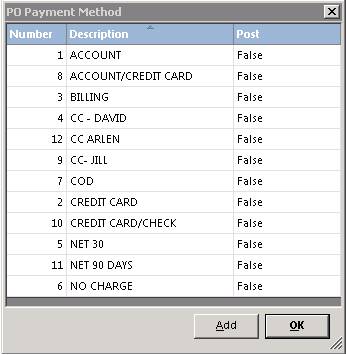
Click on the method you desire to change or click the ADD button to add an additional method. In either case the following screen will be displayed:

Number – If you are adding a method, the number will be automatically assigned.
Description – Enter a description for the method.
Post to AP – Check this box If Purchase Order with this method are posted to Accounts Payable. This would normally be “On Account”, “Net30”, etc. You would not normally post prepaid or credit card POs to Accounts Payable.
Make the appropriate changes to the method and then click the OK button