Party Cad Import
This option allows you to import the items on a Party Cad drawing directly into a Quote. You will need to export your items from the Party Cad drawing into an export file in the \POR\Pictures\Party CAD\directory. Once you select this option, you will see all the export files in that directory. Select the desired file and click OK. A quote will then be shown with all the items on the quote. this is a good way to check for availability quickly without having to manually type all the items into the quotes.
* Note: you must put the items keys into Party CAD so that it knows which item to select for the quote.
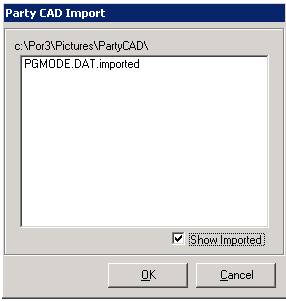
Show Imported - This will show you a list of files that have been imported