Overview Screen
Overview: That you can move the overview screen from being the first screen you see to the end of the tab list. Also, you can remove certain tabs from Day at a Glance.

1. Go to Program Menu>Security>Menu Security>Day at a Glance Tab
2. Uncheck the overview box and select the terminals to move to the terminals in this group
Note: Your terminal Id can be found from your program menu under the Enter Selection (If your terminals are not by your name, then it could be list as PC1, 2, store1pc2, etc.)
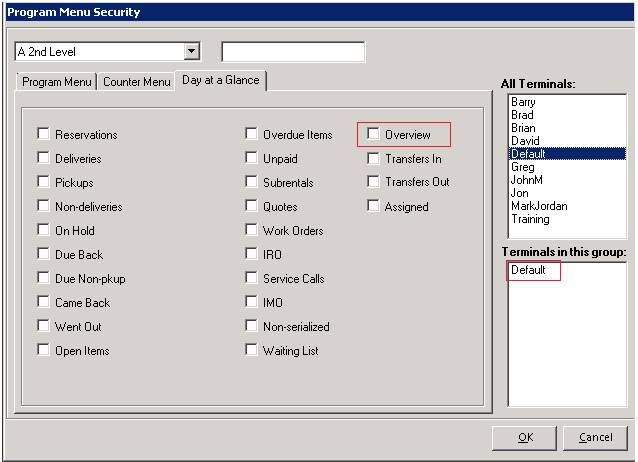
3. Click OK
4. Once you go to Day at a Glance, the overview tab will be moved to the end of the row.
