Item Lookup Columns
You can define the column setting on how to look up inventory through Item File>Item Look Up.
Right Click on the blue header bar (key, description, etc.). The following box will appear. Check the items you want to view when looking up your inventory items. Select from the drop-down menu whether you want to set this default for a Specific User, Store level or Company level.
* Note: To prevent employees from changing these settings, you must be an owner or Regional Manager.
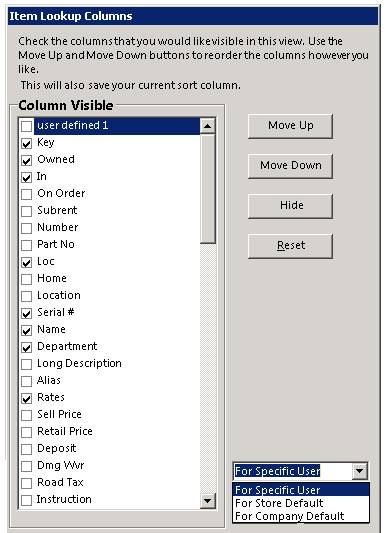
Note: new items such as Items Marked for Sale have recently been added to Column Selection.