Internet Faxing
Overview: Today, fewer and fewer businesses have POT’s (plain old telephone) lines. This becomes a problem faxing documents to customers. Internet faxing is the solution when there are no POT’s in the building or near a server. Sign up for a MetroFax.com account and start faxing directly from your Point of Rental software.
Go to Program Menu -> Configurations -> Reports and Notifications

• Choose System Email Setup
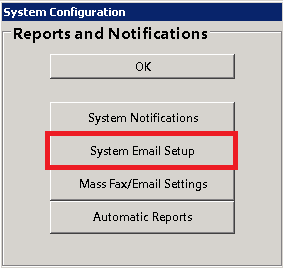
• Select Internet Fax from the down-down and click edit

• Email Method --
You will select Use SMTP for email.
• SMTP Settings --
Email Address -- Valid email account.
Email Password -- Actual password to log into the above email address.
Email Domain -- Typically blank/ special use only.
SMTP Server, SMTP Port, SSL -- Get this information from your email provider.
**Reply to Address- this is the email address that was used when signing up with Metro Fax.
Display Name -- Name the recipient sees on fax.
Blind Carbon Copy -- Insert an email address here to receive a copy of the fax that is sent to the customer.

User Profiles
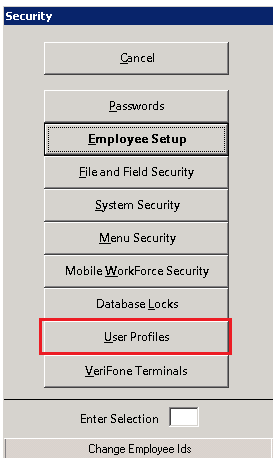
• Next you will have to change the method of faxing in the user’s profiles to Internet Fax for each user.
Program Menu -> Security -> User Profiles
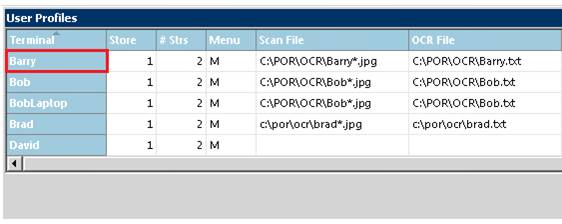
• To select each user profile, click on the name.
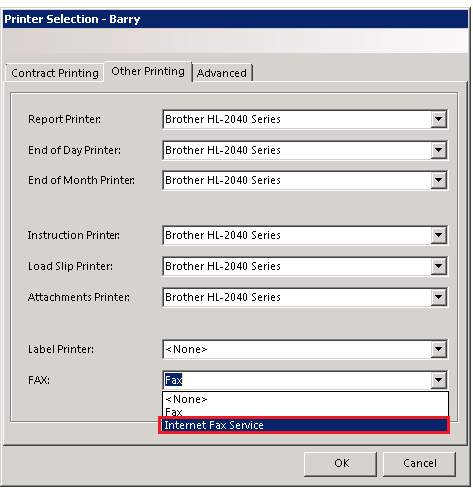
• Click Other Printing and change FAX to Internet Fax Service.
Send a Fax using Metro Fax
• After finishing a contract simply select fax instead of print.

• Choose Fax, you will be able to select a Fax Cover Page from the drop-down Menu and select Print.
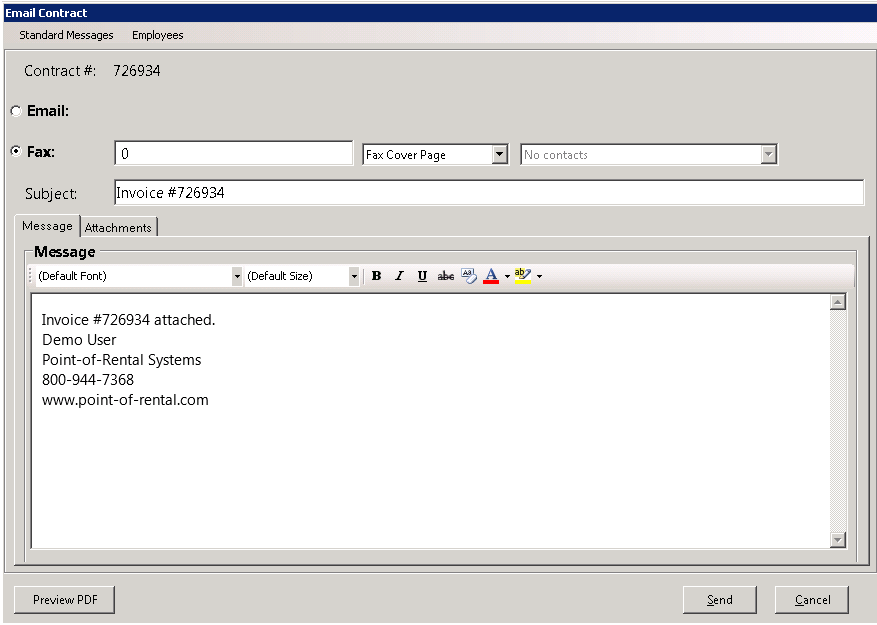
Note: If a fax number is on file for the customer, it will automatically populate. If not enter in the correct fax number.
• Preview PDF – Preview the PDF that is being sent to the customer.