Discount Tables
How to get there: Program Menu > Configurations > Accounting Configurations > Discount Tables
If you want to use automatic customer discounts, you must define them in the Discount Code Table. For each discount code, you may define the rental discount percent and the sale discount percent. These percentages are expressed as whole numbers. For example, a discount of 25% would be tiered as 25. To add an automatic discount to a customer, select the appropriate discount description in the Discount field of the customer record.
After you enter the owner or manager’s level password, the customer discount table will be displayed and you will be permitted to make changes to it.
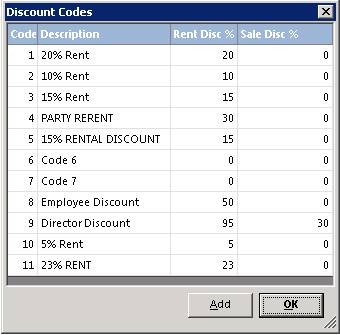
Click on the discount code you desire to change or click the ADD button to add an additional discount code. In either case the following screen will be displayed:
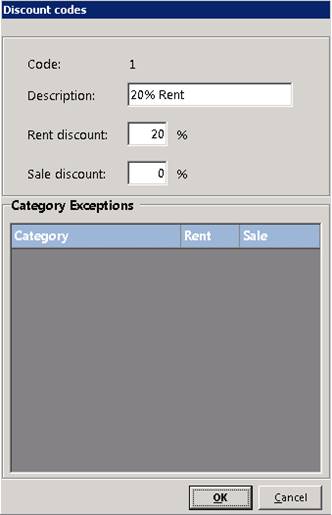
Make the appropriate changes to the discount code and then click the OK button. If you are adding a discount, the discount code will be automatically assigned. If you have marked any categories as non-discountable the will show up in the Category Exceptions list. After all changes are made, click the OK button.