Default Item Look Up
Overview: To handle all the different needs, we now store the default check boxes by user. You can check or uncheck each box you would like and then right click on the grid header. When you click save, it will save your checkbox settings along with column widths, column order, and grid sort field. Remember that each program stores its own settings which allow you to have a different setting for File Maintenance then you have for Counter System.
1. Check the box or boxes that you want Item Inventory Selection to default too, then right click on the blue header field.

2. Once the boxes have been selected, click save.
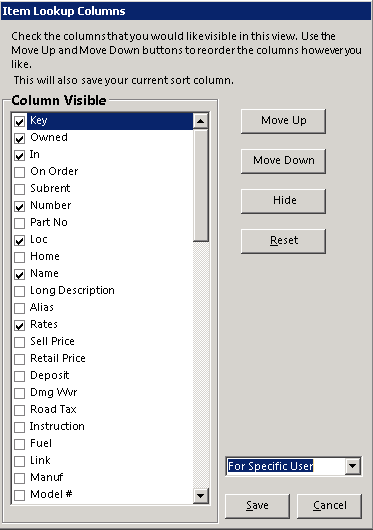
*Note: The drop-down box allows you to save the settings per user, per store, or per company.
Your settings will automatically default to your new settings whenever you go into the Inventory Selection Screen. Each program stores its own settings, which allows you to have different settings in both File Maintenance and Counter System.