Customer Messages
How to get there: Program Menu > Configurations > Customer Configurations > Customer Message
Customer Messages allows you to display a message every time you open a contract for this customer. When you add a new message, the system will automatically assign a message number.

Click on the description you desire to change or click the ADD button to add an additional method. In either case the following screen will be displayed:
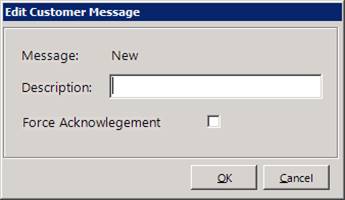
If you want to force the counter person to acknowledge the message, then check the “Force Acknowledge” box. Once the message is added, enter the message number into the customer’s message # field.