Customer Heard about Us
How to get there: Program Menu > Configurations > Customer Configurations > Customer Heard About Us
In this table, you can manage your Customer Heard About Us options. These options can be customized to gather the information you want. This is a great tool to use from a marketing perspective.
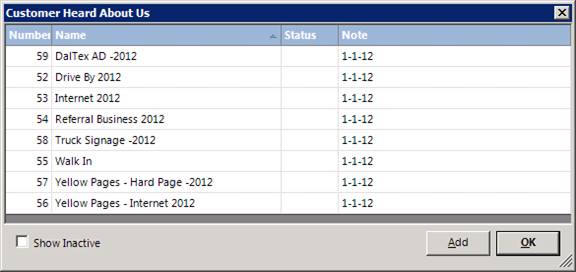
Click on the method you desire to change or click the ADD button to add an additional method. In either case the following screen will be displayed:

Number – If you are adding a method, the number will be automatically assigned.
Name – Enter a description for the method.
Inactive – Check this box if this method is no longer available.
Note – Enter any notes you desire for this method.
Make the appropriate changes to the method and then click the OK button.