Configure Windows Faxing Permissions
For Windows 2008 Server, Windows 2008 Server R2, Windows 2012 Server and Windows 2012 Server R2
When configuring Windows faxing you must configure permissions to allow users to fax or they will get a suppressed error and the faxes will not work. This article details where to configure thesefaxing permissions.
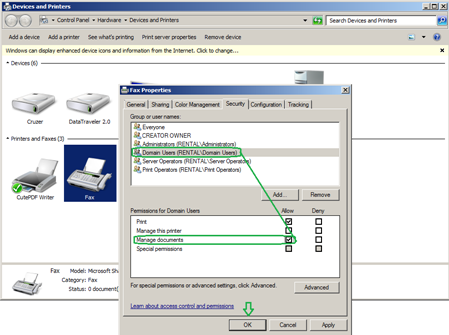
1. Open Printers>open properties of fax>Add Domain Users to the Security tab and give them rights to “Manage Documents”
2. Add “Domain Users” to the properties of C:\Program Data\Microsoft\Windows NT\MSFax in the Security tab and give right to modify

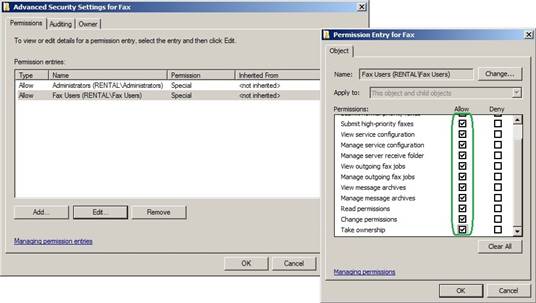
3. Give Fax Users and Domain Users groups rights to fax
a. Open Printers>RC Fax>Select Configuration Tab>Click “Fax Service Manager”>RC “Fax (Local) and click Properties>Select the Security tab>Click the Advanced button>Select Fax Users group and click Edit>Check-box all boxes under “Allow”>Click OK all the way out.