Configuration
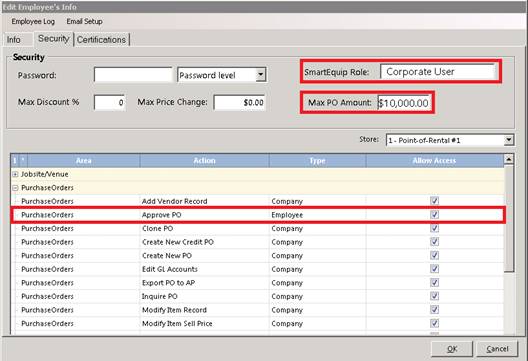
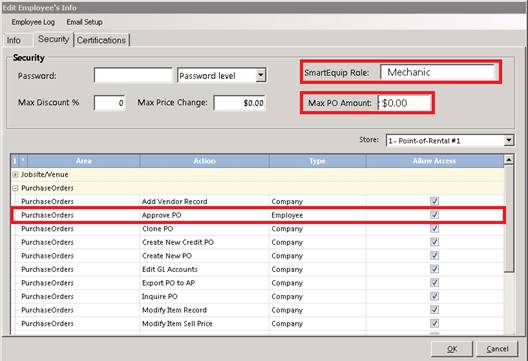
Go into Point of Rental>Security>Employee Setup>Click on desired Employees you want to setup>Click the Security Tab at the Top.
Login – Point of Rental users must have a SmartEquip role assigned. Below are 3 sample levels of SmartEquip roles:
The Agent role is assigned to a SmartEquip purchaser and/or approver of purchase orders.

The Corporate User role is assigned to a SmartEquip purchaser and/or approver of purchase orders with a higher Purchase Order amount approval.
The Mechanic role is assigned to a SmartEquip purchaser without approval of purchase orders.
•Point of Rental users must be assigned a SmartEquip Role using the Operator ID screen in the Security menu
•Default roles are mechanic, agent/approver and corporate user
•Roles can be specialized through work with the SmartEquip
•PO Approval and Max PO Amount are also defined through the Operator ID screen
•The Operator ID password is used for SmartEquip login