Clone Purchase Order
The Clone PO option from the Purchase Order menu is used
to duplicate a previous purchase order. Once you choose the Clone Purchase Order
option, you then select the previous PO that you want to duplicate. The same
vendor, all the same items and quantities as well as all of the expense
information and notes will be carried onto the new Purchase Order.
Right click on the purchase order your would like to clone.
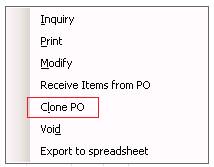
Select yes, when it ask you to clone this Purchase Order

Purchase order has been cloned.
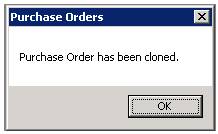
You will see the duplicate purchase order in the display screen under open tab.