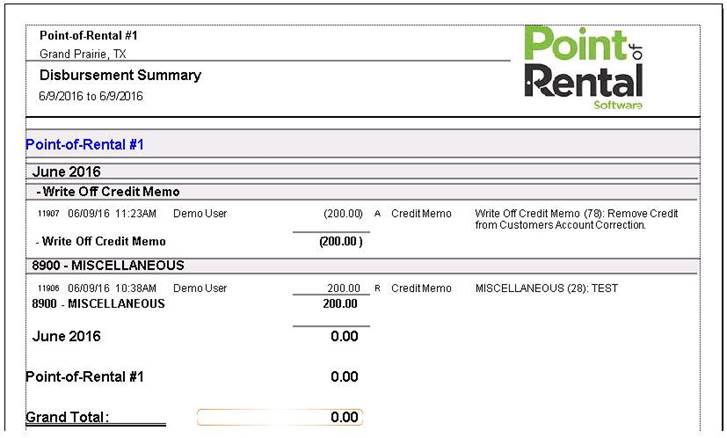
Sometimes it is necessary to write-off a credit balance when a refund will not be given to the customer. This following instructions will not affect your cash drawer and allows you to run reporting later to view credit write-offs.
You will need to setup a disbursement item called Credit Balance Write-Off. See Disbursements for help.
1. From either Program Menu Accounts Receivable or Counter System Customer Dashboard.(Tools)
2. Choose Make a Payment
3. Enter a NEGATIVE payment amount
4. Select a payment method of Credit Memo
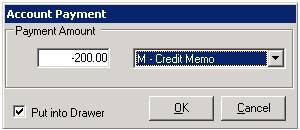
5. When prompted to select a disbursement items choose your Credit Write-Off disbursement.
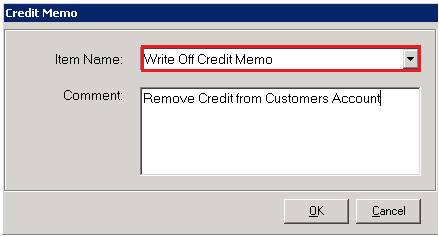
6. You must add a comment describing the write off
7. Do you want to automatically apply this payment?
* Note: If there is more than one credit to apply this to, answer no an manually apply payment. If you answer yes, payments will be applied to the oldest credits, first.

8. Use the money in funds remaining to refund the credit balance, effectively, zeroing it out.
9. Once the credit(s) have been refunded the Funds Remaining at the bottom of the screen should be zero.
10 Press ok to finish.
You can now run the disbursement report in Accounting Reports to see credit write-offs.