If your store needs a sophisticated web presence, Point-of-Rental can help! RentalHosting.com offers exclusive web interfaces that integrate with our software. With this integration, your website receives daily automatic uploads of item rates, photos, specifications and instructions. Sync to the integrated Mobile Website so customers can find your store anytime and anywhere. Built-in SEO features will increase search engine visibility. Your website will also have full shopping cart functionality for online rental quotes that will be automatically imported into Point-of-Rental. Customers will also be able to utilize the customer portal feature, giving them full access to their account. There are a variety of layout options and custom designs built to meet your specific needs. Samples are available at www.rentalhosting.com.
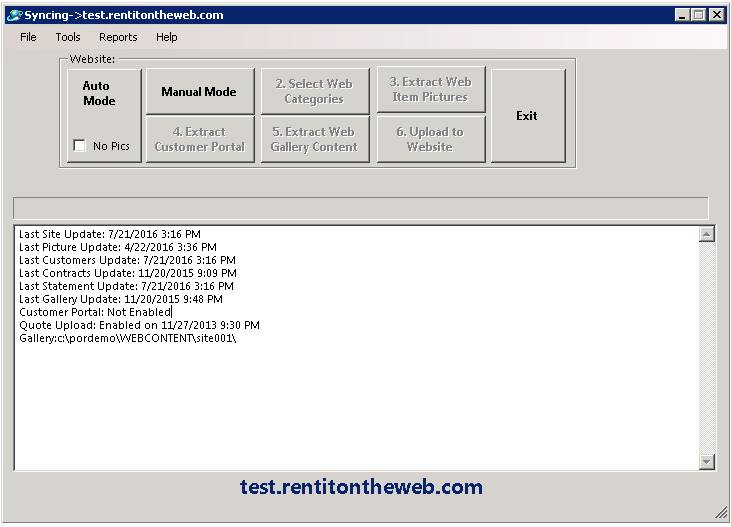
How to get there: Program Menu > Configurations > Other Updates > Update Webstite
If you subscribe to the Intergraded Website Hosting, your website will automatically be updated every night. This option allows you to set the Item Categories that will be uploaded to the website as well as other options. You can manually update the database by going through either Auto or numbers 1 through 6;
Note: It is not recommended to update it during business hours or from a terminal session.
Create Customer Portal
If you have the Point-of-Rental Website Hosting module, there is an optional module that you could purchase called the Customer Portal. This feature would allow your customers to view their account information such as their Current Balance, Last PaymentAmount and Date, Statements, Contracts, Items out on Rent and even allow them to leave Feedback or ask Questions online. There is a field in the customer’s record that would have to be checked in order for the customer to be able to view their information online.
Summary:
On the Summary page, the customer can view their Current Balance, Last PaymentAmount and Date as well as the Statement for their selected date. The Customer Account Summary page would look similar to the following:

Contracts:
On the Contract Details page the customer can view the Contract Number, the Status of the Contract (Open, Closed, Reservation), the Items they have Out on Rent with the Open and Close date for the Contract. The customer may also view theTotal Dollar Amount for the contract, the Purchase Order Number and the JobNumber assigned to each contract. The customer can hold the mouse over the Contract number to get more information or click on the magnifying glass symbol to view detailed information in PDFFormat. If you want the page to sort,click on the column heading. The report would look similar to the following:

Items Out:
On the Items Out page, the customer can view the Contract Number, Quantity Out,Name, Bill Date, Purchase Order Number, Job Number and request an item to beCalled Off Rent. The Items Out page will look similar to the following:

Call Off:
If a customer decides to request an item to be Called Off Rent, they will get the following page to fill in and sent to the store:
