
Is used to void or cancel an existing purchase order. this would be used if a purchase order already put in to the system was not going to be used. The Void option will zero out all of the line items on the purchase order and change the status to Voided. If you add any items back on the voided purchase order in the future, the purchase order status will change to Open or Closed. to void a purchase order, you must select the desired purchase order.
Select contract you would like to void, right click on the contract
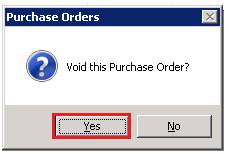
When asked if you want to void this purchase order, select Yes
The contract status will change from green to red and the quantities will be zero out. The status of the purchase order will changed to VOIDED.
