Overview: Subrental requests were designed to streamline the writing of subrental contracts. Using this feature ensures that the subrental is tied to a contract so a subrental profit and loss report can be generated. Subrental Requests can be made while writing a contract or from Item Availability while working your overbookings.
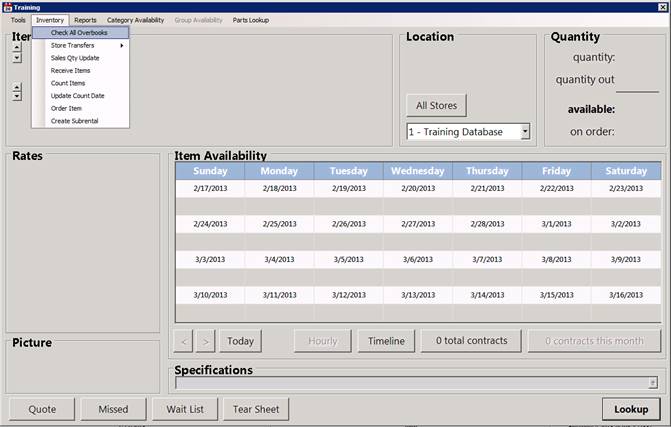
Subrental Requests can be made from Item Availability while working your overbooking’s. Click on the Inventory pull-down and select Check All Overbooks.
You will see a list of all overbooked items for the current week.

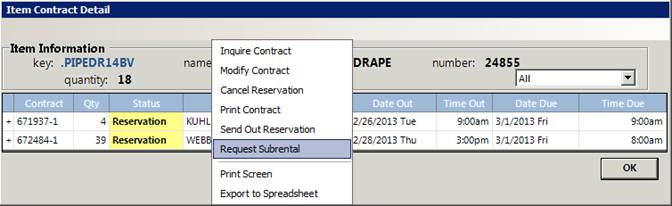
Right click on the item you want to request a subrental for. Item Contract Detail screen will open. Right-click on the contract you want to subrent for and select Request Subrental.
You will receive a prompt asking to enter the quantity you want to subrent. Once entered, you be prompted the subrental has been summitted.