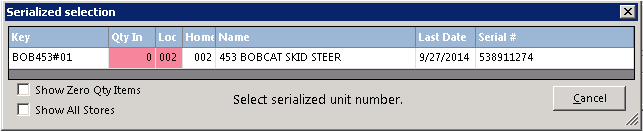
This option is only available if this is a serialized or header item (i.e. something has been entered into the header field). When selected, all of the serialized items will be displayed to choose from. The screen looks similar to the following:
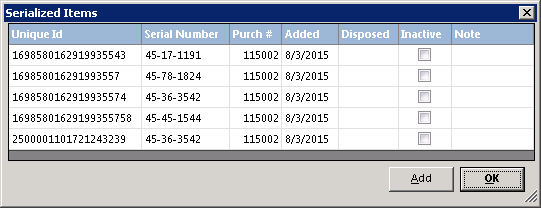
Bulk Serialization – This option is only available if this is a serialized item and bulk is checked and set to Bulk Serialized. All bulk items can be serialized with a unique id. The screen looks similar to the following:
Note – This is very useful when using Contract Fulfillment and prepping in/out items. Now you bulk items can be tracked to who you sent them out to. A unique id can be a barcode to make the prepping process easier.
Show Header – This option is only available if this is a serialized item. When selected, the header item will be displayed in place of the serialized item.