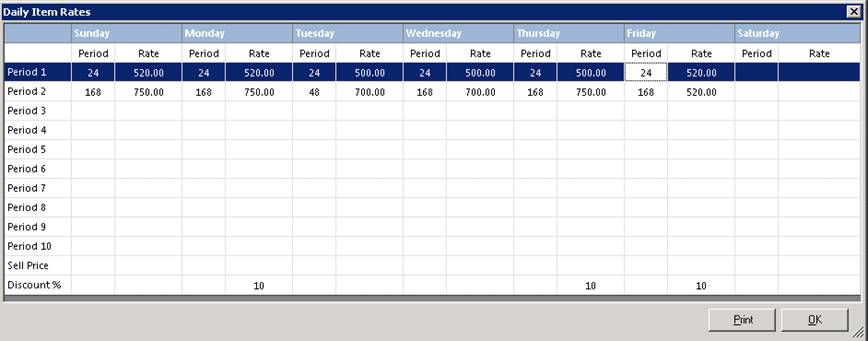
This option allows you to set a default rate for an item as well as rates by the day of the week. For days you don’t normally rent the item out, you could create a lower rate to help boost rentals for that item and set a discount percentage.
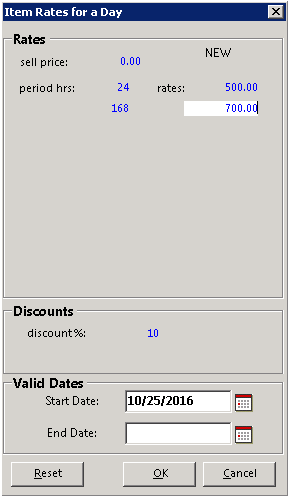
Select the Set Daily Pricing, will open a box listing the days of week, period and rates. On the left side of the box will list the periods ranging from 1 to 10. The period would be the equivalent to the item rate structure of the item. Click on the day of the week to open the rate structure box. Once opened you can enter the new rate structure of that given day. You will be able to special item rates for the individual day, setting the sell price, period hrs, rates, discount percentage and how long the special rate is to go into effect.
Once all the criteria has been filled out the new daily rates will populate under the given day. You can set different special rates for each day of the week.