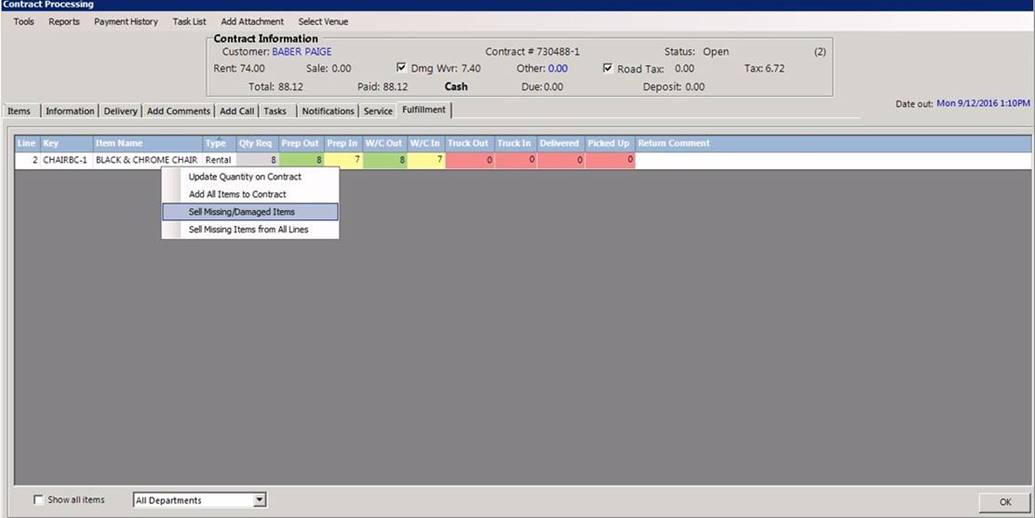
With this feature you can sell any items on a contract that have not been fully prepped in. Go to your fulfillment tab in the contract processing screen and select the partially fulfilled line item. If you right click this item, a menu will appear, you can select “Sell Missing/Damage Items” and it will add an asset sale for any of those items that have not been prepped in. You can also click “Sell Missing Items from All Lines” to sell off every item that hasn’t been prepped in.