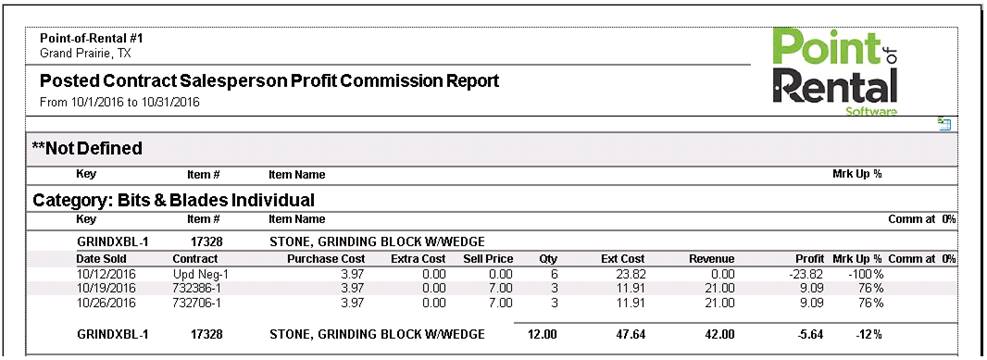
This report prints a summary by sales rep for each month. A total for rental, sales, asset sales, damage waiver, and tax will be listed.
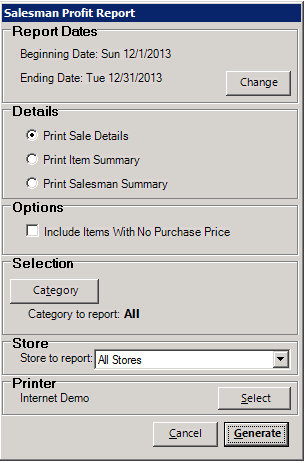
Beginning Date – this option sets the beginning date of the report.
Ending Date – this option sets the ending date of the report.
Print Sale Details – this option prints the profit for every sale.
Print Item Summary – this option prints a summary profit for each item.
Print Sales Rep Summary – this option prints a profit amount for each salesperson.
Include Items with no purchase price – check this box if you want to include items that have zero for the purchase price on the report.
Category – this button allows you to select a particular item category to be reported.
Store – for multi-store systems, an individual store or all stores can be included on the report.
Select Printer – this button allows you to set the printer the report will print to.
Cancel – this button will cancel your previous selections and return you to the Program Menu.
Generate – this button will generate the report and display the report on your screen.
The report will look similar to this sample report: