
Overview: There are times when an item has been out on rent for a period of time, and the customer decides to purchase that item. A portion or all of the rental already paid is able to be applied towards the sale of the item. You now have the ability to enter all, or a percentage of the rental amount paid towards the asset sale.
Note: This is only for serialized inventory items (this will not work on bulk items).
Go to the continued contract. (This option will on only be available in a continued contract – month 2 and beyond).
Right click on the serialized line item and select Asset Sale
Enter the value of the Asset Sale
Enter the Serial Number and Model of the equipment. (this automatically populates if available)
Select Done
The Rental
Purchase Option Credit box will
appear.
* This will show the rental amount already paid towards this item.
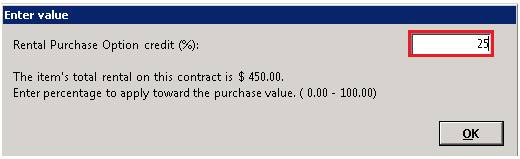
Enter the percentage you would like to discount from the sale amount. If all of the rental paid is to be applied enter 100%. If not, enter the percentage amount of the rental you would like to apply. (Ex. 10%)
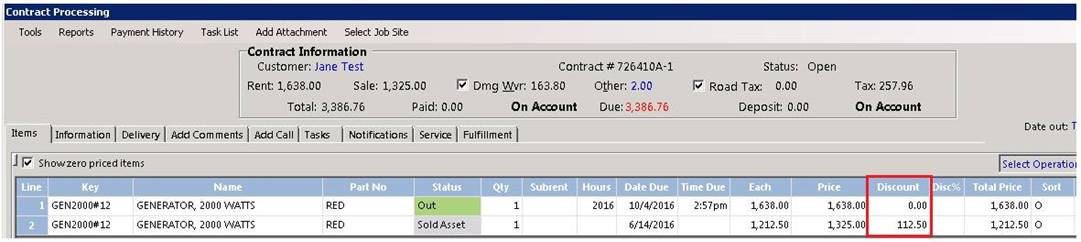
1. You will see that the total rental paid was $450.00, 25 % of this was applied towards the asset sale amount or $149.18, reducing the overall sale amount.
*Note: The discount is applied to the Discount Amount field in the line item. This column many need to be turned on by right clicking the blue column header line and selecting discount amount.