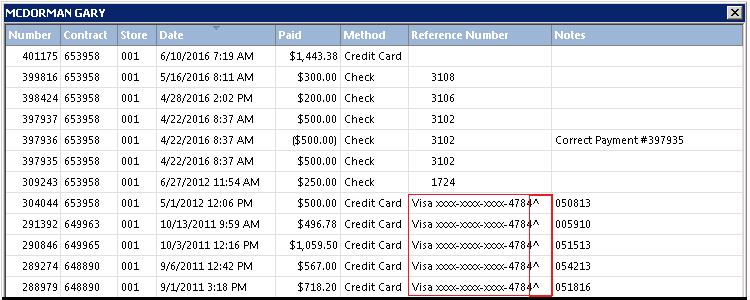
•From a Customer Record select the History Drop Down Menu, then Payment History.
•Right click a transaction and choose ‘Remove card from historical listing’.
•This must be done for each instance of the credit card. If one is missed, the credit card will still be available for use from a historical listing.
.

•When a When a credit card has been removed from historical listings, the ‘^’ symbol is added to the end of the credit card number.