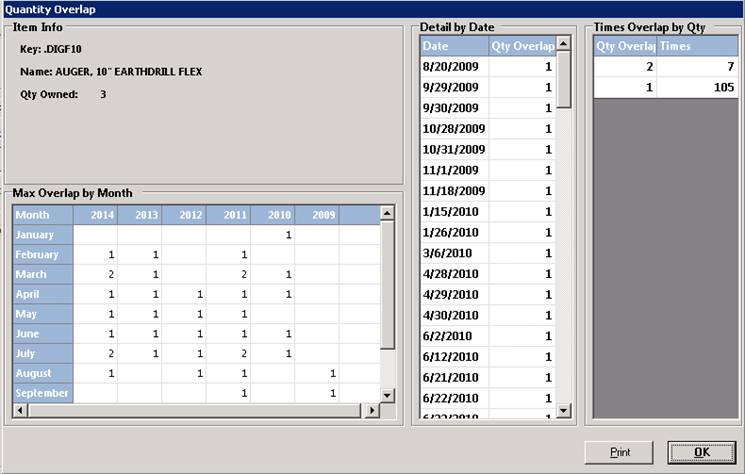
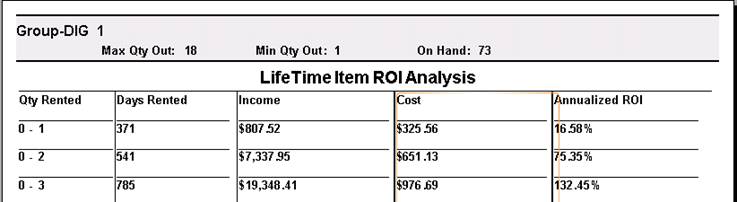
This report shows the maximum number of items rented on a given day, report can be run for a 12,24,36,48 or lifetime, showing the Qty on Rent, Days Rented, Income, Cost, Annualized ROI. This report is helpful to determine whether you own too many of the item or whether you should purchase more. The Max Overlap by Month is the maximum units you had rented per day for that month
Analysis Report
Group Analysis Report


Lifetime Analysis
QUANTITY OVERLAP
The Detail by Date lists the quantity rented for each date that at least one unit was rented. The Times Overlap by Qty is the number of days that each quantity was rented. The Quantity Compare screen looks similar to the following: