
Overview: That you can move the overview screen from being the first screen you see to the end of the tab list. Also you can remove certain tabs from Day at a Glance.
1. Go to Program Menu>Security>Menu Security>Day at a Glance Tab
2. Uncheck the overview box and select the terminals to move to the terminals in this group
Note: Your terminal Id can be found from your program menu under the Enter Selection ( If your terminals are not by your name, then it could be list as PC1, 2, store1pc2, etc)
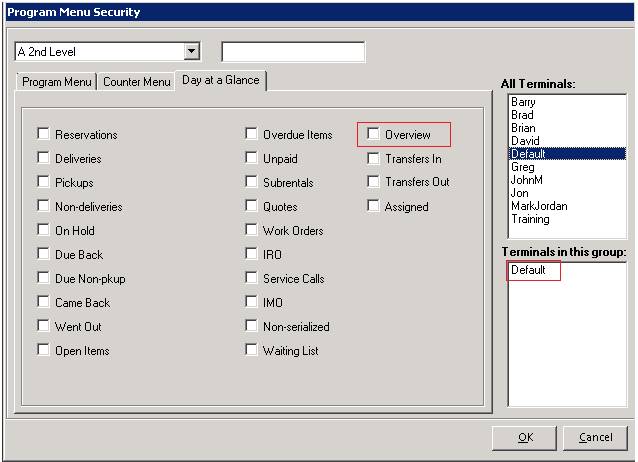
3. Click OK
4. Once you go to Day at a Glance, the overview tab will be moved to the end of the row.
