Overview: You have the ability to make changes to multiple lines on a contract at once.
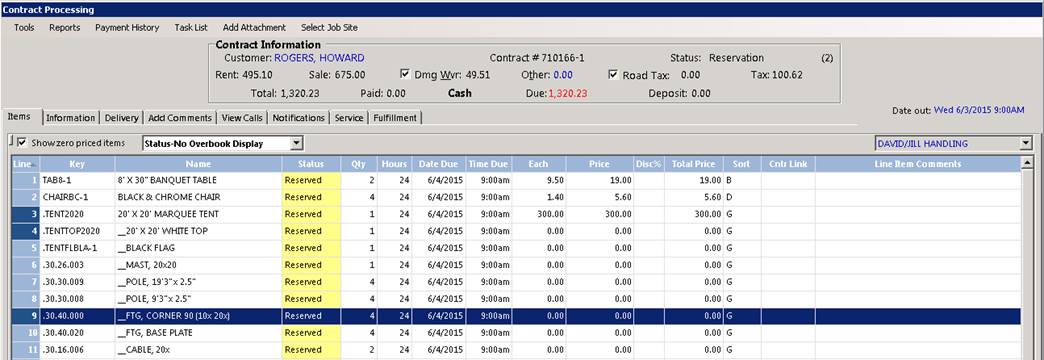
1. From inside the contract, you can hold down your ctrl button, and click on the line item you want to change.
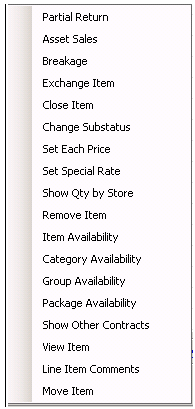
2. The lines you selected are highlighted in blue, right click on the highlighted line, and you will be able to select different options, that will effect each highlighted lines simultaneously. To remove the highlight, hold down the ctrl button and click on the highlighted item, this will undo the multi-line option.
Note: In this example we are going to select Change sort order. You will see in the above sample that under the sort column, each items is listed with the letter U.

3. Change sort letter

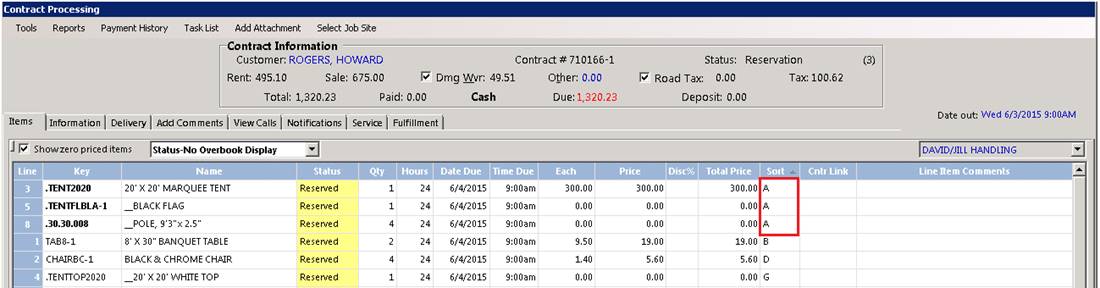
4. You will see under the sort column, on the lines we highlighted, that the on line 6 and 7 the sort letters changed to A.
5. When you are in the normal mode of the contact, without any line highlighted, right click on your mouse, and you have different options to choose from.
Note: By selection one of these option, it will only change the single line that you right clicked the mouse on.