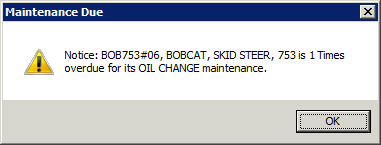
An item becomes due for maintenance after it passes the thresh hold set for it. Common tasks are oil changes after a certain amount of hour meter hours, so many rentals etc… When closing the contract, after the print screen, the user will be alerted with the following message. If a To Do List exists, the user will be asked if they want to print it as well.
To view this maintenance, or any others that many be pending, from the top left of the Counter System menu, click on Tools> Maintenance Due. This will show anything due for maintenance. A percentage can be added at the top left as well. For example, entering 5 would show all items currently due as well as any item within 5% of being due.

Note: When the IMO box is checked in the file record under maintenance, you will have the option of choosing to print only. This will print out the maintenance to do when the contract is closed. Note: This will not be displayed in the Maintenance Due screen.
** If you want to undo the print only, you will need to go into the file record, select Maintenance, uncheck the IMO box and then recheck, the drop down box will display the following options list below, hit enter, you will be ask the number of repair you want to make, select 0, this will clear the print only and now will display the maintenance in the maintenance due screen.
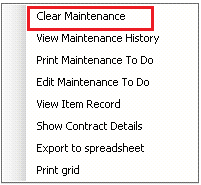
Right clicking on the item needing maintenance will bring the following menu. Click “Clear Maintenance”.
Check the box of the frequency to be completed.
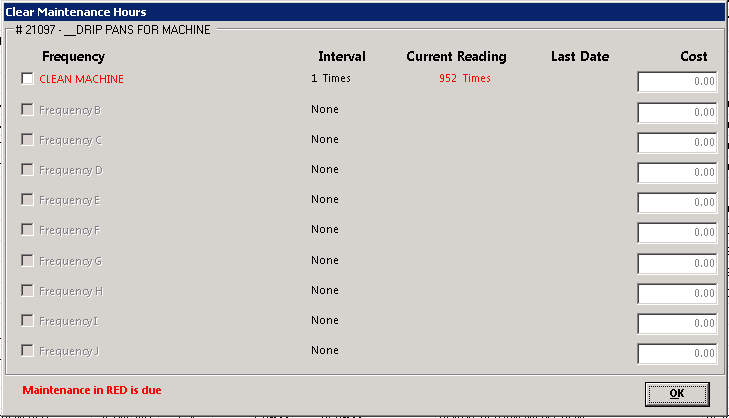
Do NOT click “Create Maintenance Required Contract”. And enter in the cost of this maintenance. Click OK when finished.

Check Create Maintenance Required Contract
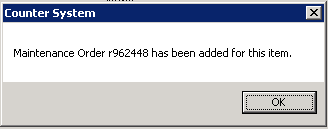
Enter in the meter reading, serviceman and any comments if desired, click OK and the maintenance will be cleared.

Viewing the item record in File Maintenance shows what has been done and the cost that was entered. The Total Cost will show the accumulated cost for each frequency.

Maintenance is also logged under Maintenance History

You can now export the Maintenance History Rpt, directly to Excel