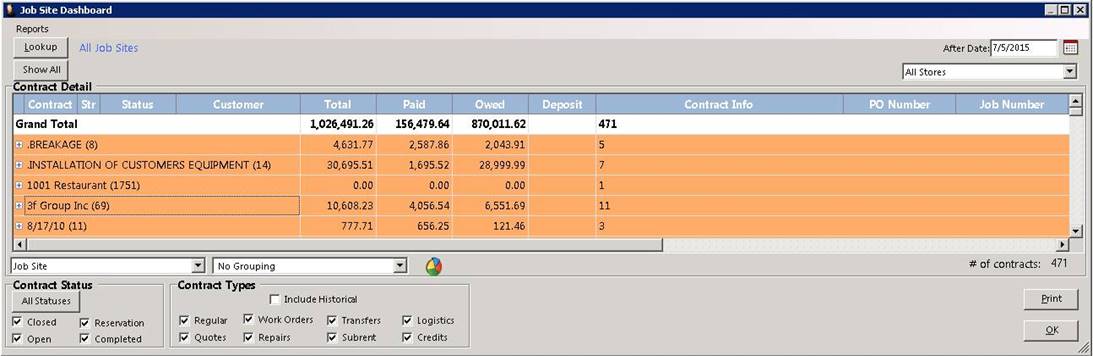
Allows you to view total revenue by jobsite based on filtering by contract status, type, job site, grouping or store location. You can choose a single Job Site/Venue or you can choose all. You have the ability to quickly see which job sites are doing great and which are not. You will be able to see total revenue you have gotten at a particular event or you can get what revenue came in each month or what the average days to pay at each venue.
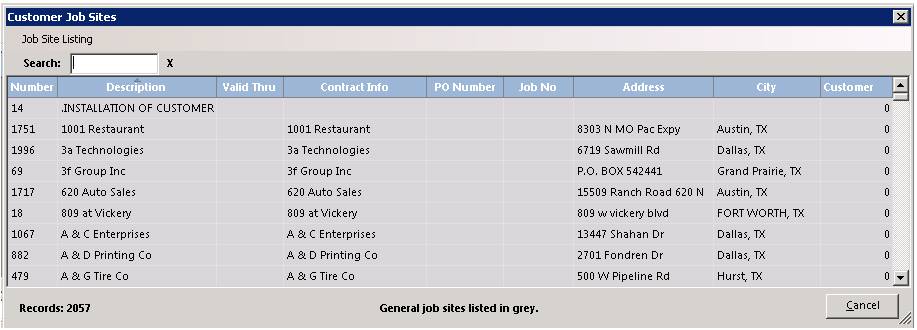
Lookup - Displays a list of jobsites to choose from.
Show All - Will display all contract statuses and total revenue.
After Date - Will display contracts after the date entered
All Stores - Allows you to choose from drop down menu different store locations.
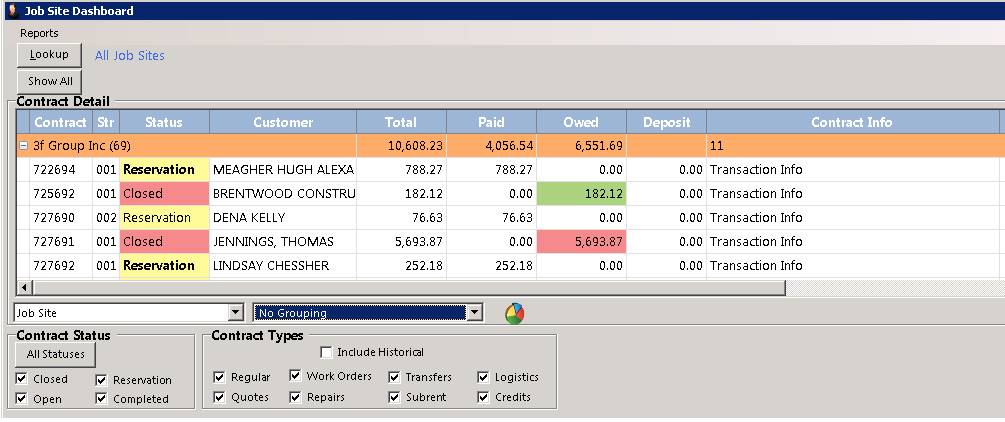
+ - Clicking on the plus sign will display all the contracts under that particular selected jobsite. You will see the jobsite name, total revenue for all contracts, amount paid, owed, deposits and total number of contracts under this particular jobsite.
You can filter your view by selecting different criteria from the drop down menus. Each criteria selected can be grouped or defined by an individual criteria.
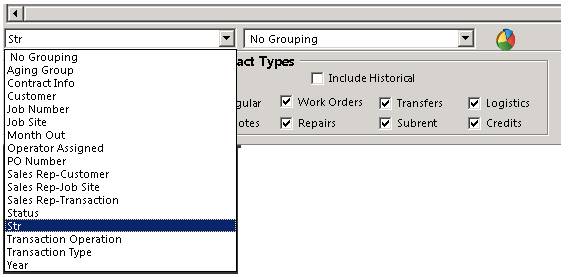
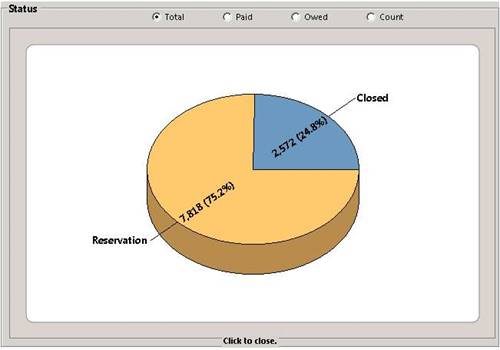
Click on the graph icon to view a color display of the revenue breakdown for your filtered criteria. "Click to close" to close the graph box.
You can search by Contract Status and Contract Type, displaying the total revenue by grouping.

Contract Status:
Closed Contract - By Checking will display all closed contracts.
Open Contract - By Checking will display all open contracts. .
Reservations Contracts- By Checking will display all reservation contracts.
Completed Contract - By Checking will display all completed contracts. .
Contract Types:
Regular Contracts - By Checking will display all regular contracts.
Quote Contract - By Checking will display all quote contracts.
Work Orders - By Checking will display all work order contracts. .
Repairs Contracts - By Checking will display all repair contracts.
Transfer Contracts - By Checking will display transfer contracts.
Subrental Contracts - By Checking will display subrental contracts.
Logistics Contracts - By Checking will display logistic contracts.
Credit Contracts - By Checking will display credit contracts.
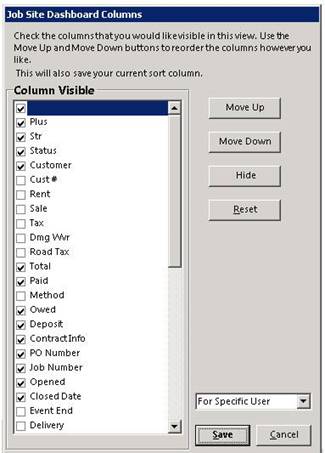
* Note: You can change the view of the columns in the jobsite dashboard by right clicking on the blue header bar. Check to display or uncheck to remove column from the jobsite dashboard. You can also move columns by selecting the move up or move down buttons.