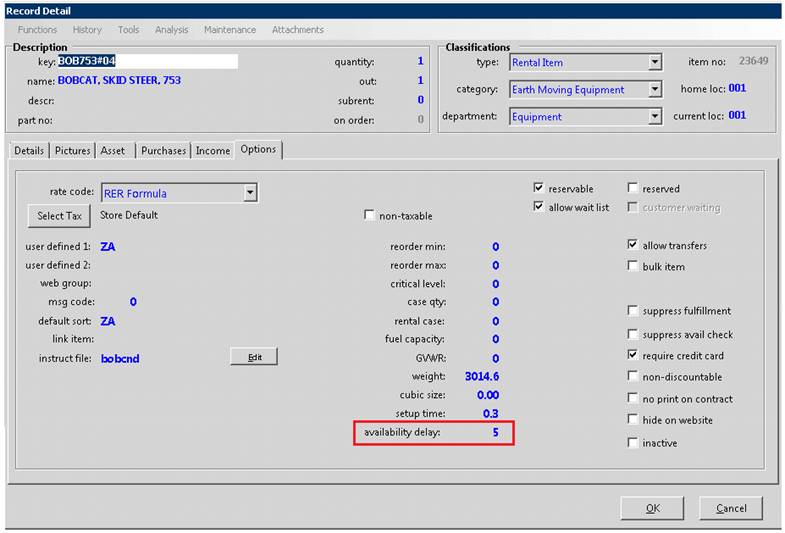
How to get there: Program Menu>File Maintenance>Item File>Options Tab
Overview: When rental items require cleaning/service upon return the availability delay can be used to add the necessary cleaning/service time to the return date to prevent back to back bookings that do not allow enough time for cleaning/service. This is typically used for items that require simple cleaning such as linens, dishes, paint sprayers or hydroseeders.
Availability Delay only applies to non-returned (open) items on reservation and open contracts. Once an item has been returned the availability delay is no longer in force. If an item needs to be put out of service upon return, in addition to the availability delay a maintenance frequency can be created to take the item out of service and make it un-rentable for a specified period of time (refer to maintenance frequencies).
1. Click Modify on the top left
2. Select the Options tab
3. Enter the “availability delay” in hours