Overview: Creating Mass Marketing Emails gives you the ability to get feedback, send out special offers, or simply keep your customers informed about new products and services. Point-of-Rental gives you the tools to store customer information including email addresses and retrieve that information at anytime for marketing purposes.
Extracting Mailing Addresses or Email Addresses:
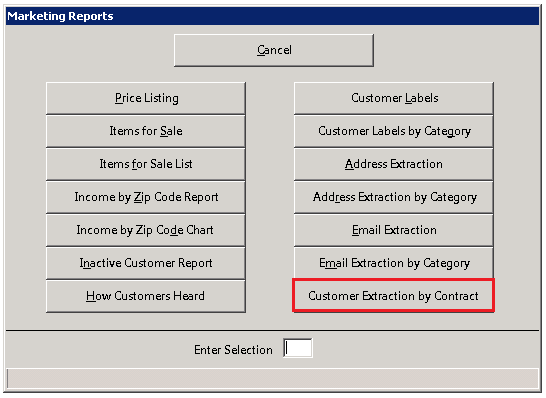
1. Program Menu>Marketing Reports>Customer Extraction by Contract
You can select a Date Range for

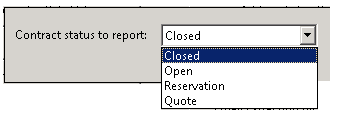
You have the option of choosing the following status report ( Closed, Open, Reservation, Quote)
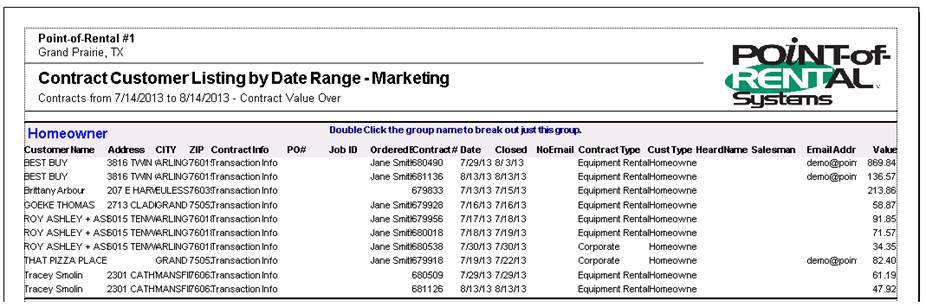
Sample of Contract Customer Listing closed customers
Creating your Marketing Email
a) Sign up with a Mass Email Marketing Company. We recommend Benchmark Email. This is the service we use. You can use any mass email service or use your own in-house software.
Benchmark Website: http://www.benchmarkemail.com/p/51917
Benchmark Email service allows you to generate marketing communications and send surveys to get feedback from your customers.
b) Most marketing companies also offer USPS mailing services as well. You can also use a word processing program such as Microsoft Word and use the Mail Merge features to generate post cards or envelopes.
c) Once your marketing list has been exported, save the file and upload the list to the mass email service or use it in your in-house software.
d) Create your Marketing Email. (i.e. surveys, special offers, or general marketing)
Marketing Ideas
a) New product announcements.
b) Sale or special offer announcements.
c) Pre-Transaction special offers
d) Post-Transaction Thank you
e) Post-Transaction Survey
f) Or anything you want to communicate to your customers.