
In Point-of-Rental 2013 and newer the numbers have been removed from the icons in counter system. However, there is an option that will allow you to select a counter system option without using the mouse. This feature will underline a letter beneath the text of the counter system icons.
Instructions for turning this on:
1.) Access Control Panel
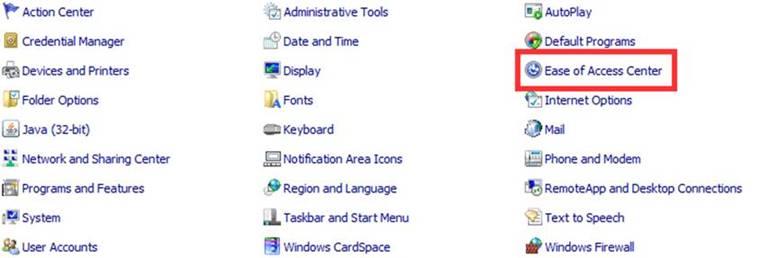
2.) Select Ease of Access Center
3.) Click make the keyboard easier to use
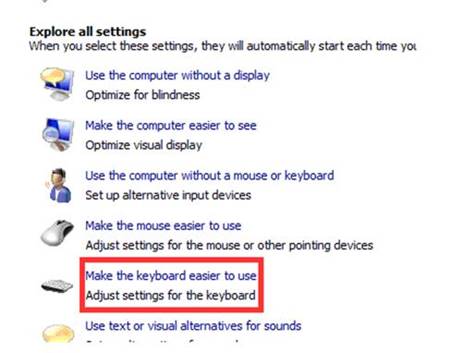
4.) Click the check box to underline keyboard shortcuts and access keys and select apply

Once on the counter system you will now see that the icons have a letter underlined. This is the quick key to get into the icon.

For instance, to reprint/inquire a contract type r and type the contract number then press enter, this will take you to reprint/inquire the contract.
Note: You can still use the numbers in the same way too.
