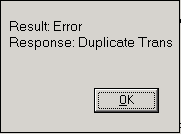
When a credit card is used twice, either in one or multiple transactions, for the same amount on the same day (batch), you will receive a ‘Duplicate Transaction Error’.
• Simply click the OK button to acknowledge it.
• You will be returned to the Credit Card Transaction screen where you can check the ‘Allow Duplicate Entries’ box or cancel.

• Click Process to continue.
Transaction Result
At the conclusion of any credit card transaction a Result window will be displayed. There is important information displayed depending on the type of transaction you are processing. Below are a few examples.
Card charged and Address + zip verification matched
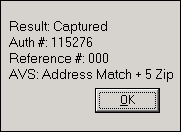
Card charged, CVV code matched, Address verification did not match
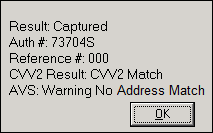
Card Declined and not charged.

Depending on the transaction and customer, it may be very important to note that the address or CVV code did not match and you may want to reverse the charge to avoid a charge back later or to avoid a fraudulent transaction.
Although not recommended, your system can be setup to require the CVV code and Address Verification match; if they don’t the credit card charge will be declined. This can be problematic if you have corporate customers that do not know their billing address or you have a lot manual transactions and need to make subsequent charges you would have to call the customer to get the CVV code since you cannot store it. We currently have no customers doing this and those that have chosen to do this reversed their position by the end of the first day.