Overview: Allows you to set override limits, change route status and assign and close logistic tickets.
Tools
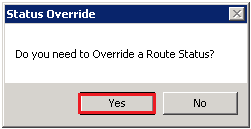
Route Admin – Allows you to override a Route Status. When selected, you will be prompted a message to confirm. You can select Route Adimin either from the Tools at the top of the page or by right clicking on the route assigned to vehicle.
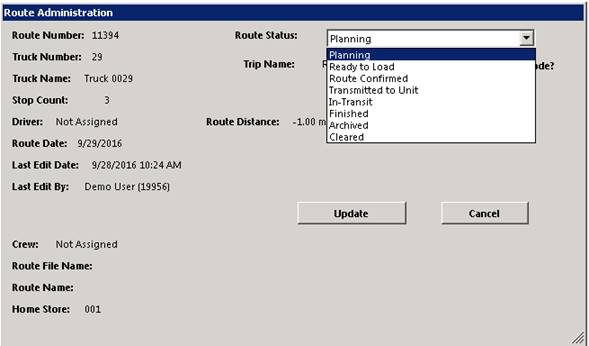
Select “YES” , you will be prompt to enter the Route number or right clicking on the route will take you directly to the Route Administration screen.
Once entered, you will be able to change the route status from the drop down window. Select the status you want to change the route to, after the status has been changed, click on the update button, this will update the route to the new status.
* Note – If you do not have the appropriate security level. You will be prompted a message indicating you access has been restricted.
Close Old Logistic Tickets – Allows you to close old logistic tickets from the previous days. If no logistic tickets exists, they you will be prompted a message “ There are not Open Logistics Tickets for yesterday or earlier”.
Export to Spreadsheet – Allows you to export the routes on the screen to an excel spreadsheet.
Open GPS MAP – Will take you to the TSO Mobile website. You will need to enter your username and password to be able to access there maps.
Create Driver Task Logistic Ticket – Allows you to create a logistic ticket to be assigned to the drivers routes.
* Note - Logistic tickets are additional stops not related to customer’s contracts. They can be a Scheduled Lunch or stop at another store’s location.
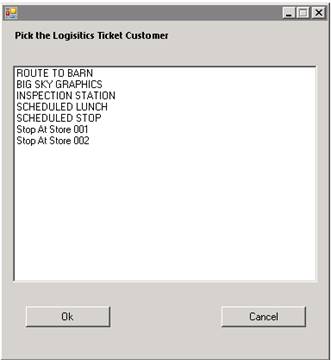
You can create different types of Logistic Tickets thru the dispatch center. Once selected you will be asked to enter an address.
* Note – Address is required, even if you are only selecting a lunch stop. Enter a zip code in this field..
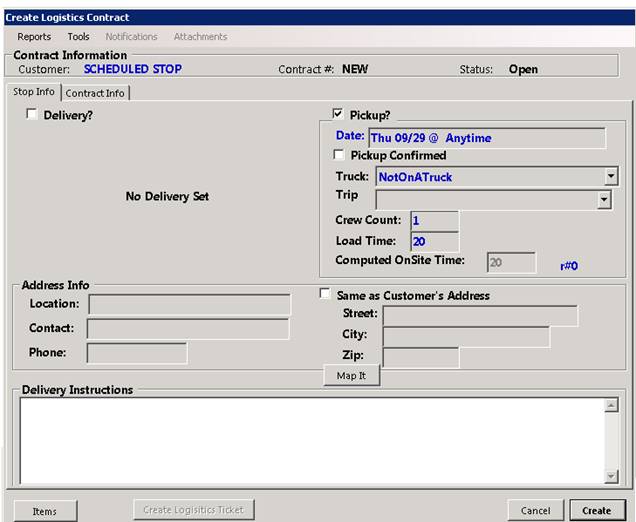
Select the delivery truck, this will assign the logistic ticket to the routes associated with this truck. Click on create, this will create the logistic ticket.