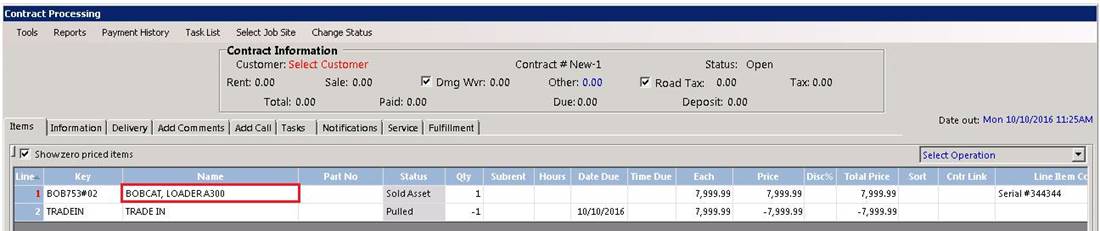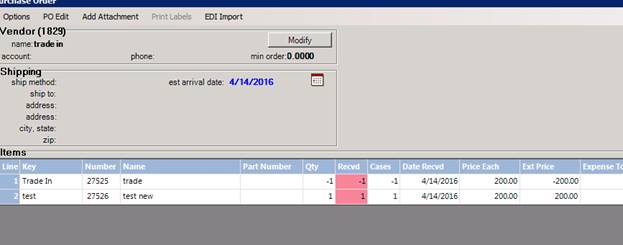
1. Set up a vendor called Trade In
2. Set up an item in File Maintenance called Trade In.
3. Set item type as sales item.
* If your state law requires tax to be charged on the total purchase price of the sales item then make this item non-taxable trade.
4. Write a purchase order for the item you are taking as a trade in. If the customer is trading in multiple items, you will need to write a separate PO for each item. Purchase price will be what you are giving as a trade in value to your customer.
•Note: If you have previously owned the item before you can use the same item number and you will maintain the history of the item in the same record. If it is an item you have not previously owned you can create a new item.
Add the Trade In item to the PO with a negative qty (Shift N in the qty field). Enter the same value as the trade in item (The item you are getting for your customer). This will make your PO have a zero balance due. The trade in item record will indicate what you paid but no invoice will be created.
5. Write a sales contract to your customer for the item that they are purchasing. Add the Trade In item to the contract with a qty of negative one (Shift N in the qty field) and the trade in allowance you are giving. This will deduct the trade in value given from the balance due on the invoice. If the item has been set up as non-taxable; tax will be charged on the value of the sales item before the trade in is deducted. Refer to your state laws on taxable sales.