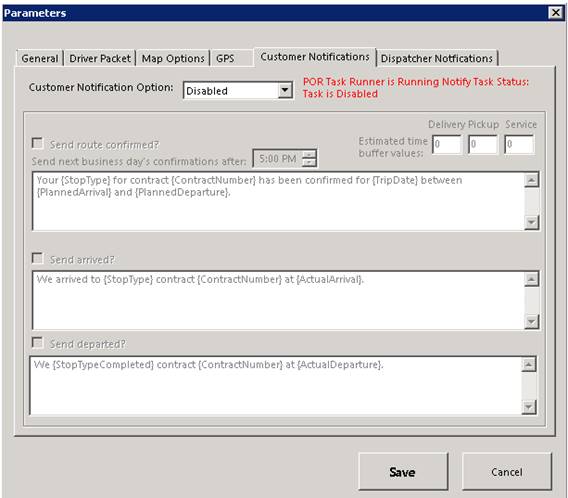
Customer Notification Option
Allows you to send/received notifications when a route has been confirmed, driver has arrived or departed. By checking the box, you can set a customized message to be sent as part of the notification.
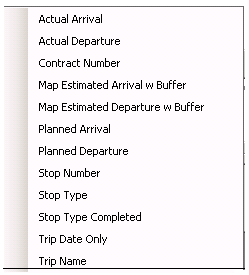
Check the appropriate box to set your message. Right click inside the window to select special fields, to be incorporated into your message. These special fields, will pull information based on the contract.
Ex. If you select Contract Number, when the special field is added, the customer contract number will appear when receiving the notification.
Estimated time buffer values
The allotted time (plus or minus) base on the driver’s delivery or pickup scheduled time.
Ex. If driver has a scheduled delivery at 10:00am, you can set the estimated time or arrival to be within number of minutes. Before or after 10:00am.