
How to get there: Program Menu > Configurations > Customer Configurations > Customer Heard About Us
In this table, you are able to manage your Customer Heard About Us options. These options can be customized to gather the information you want. This is a great tool to use from a marketing perspective.
Click on the method you desire to change or click the ADD button to add an additional method. In either case the following screen will be displayed:
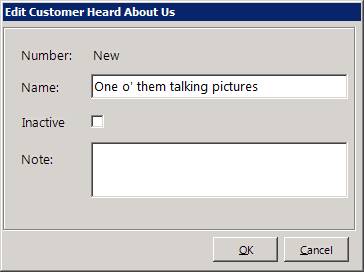
Number – If you are adding a method, the number will be automatically assigned.
Name – Enter a description for the method.
Inactive – Check this box if this method is no longer available.
Note – Enter any notes you desire for this method.
Make the appropriate changes to the method and then click the OK button.