Overview: When a large order requires deliveries over many days to many sites, it is necessary to write more than one contract; allowing the job to be processed through all the normal channels from prepping to final pickup and check in. In the end your customer may require a single invoice with a bottom line price for the entire rental. Assigning the same PO Number, Job Number, or Venue to each contract will link them together allowing a Master Invoice to be generated.
The Master Invoice is generated from the Customer Dashboard Screen. Right-click any one of the segment contracts associated with an order and select Print Master Invoice; next select the appropriate link field. (Job Number, PONumber or Job Site (Venue).
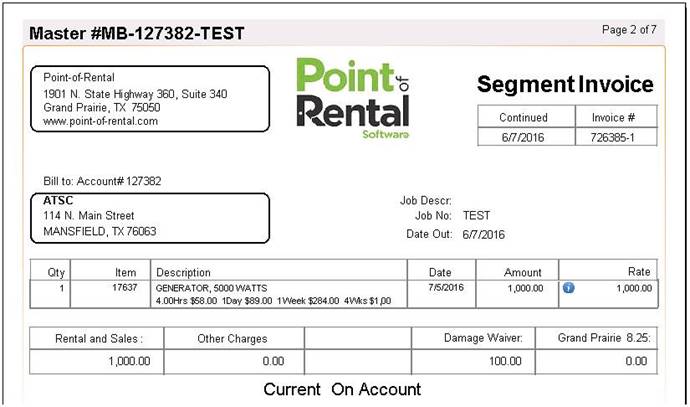
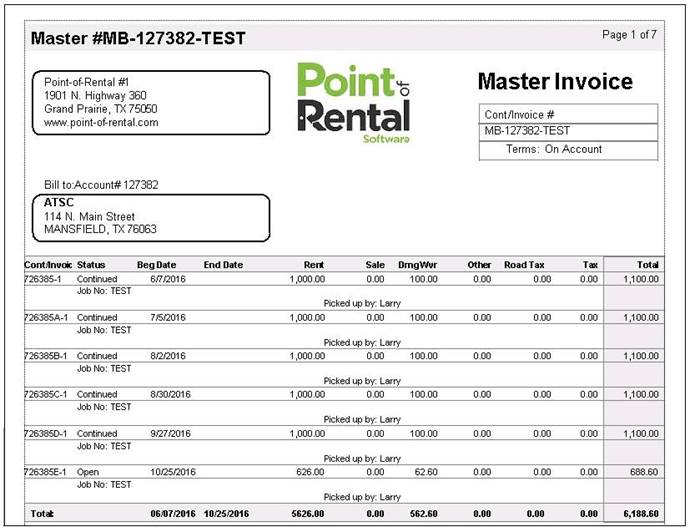
TheMaster Invoice will summarize each segment and then total all segments at the bottom of the page. Each subsequent page is the detail of each contract referred to as a Segment Invoice.
Master Invoice
Segmented Invoice