This report will print out a detail listing of totals for each contract for the time period selected. This report will list taxable and non-taxable rental, sale, damage waiver, asset sales, as well as other amounts and tax collected
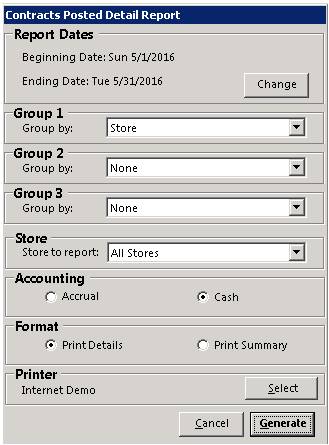
Beginning Date – Select the beginning date for the report.
Ending Date – Select the ending date for the report.
Accounting Method – Select either Accrual Accounting or Cash Accounting basis for the report. Your normal accounting method will be the default.
Format – Check Print Details to see each contract. Check Print Summary to see only the totals by Tax Jurisdiction.
Printer – Select the printer for the report.
Click Generate and the report will be displayed on the screen. To print the report to the printer, click on the printer icon located at the top of the screen. The report will look similar to the following report:
