Overview: You can now define the telephone format you want to show on your contracts. Whether you want your phone format with space, periods, dashes, you now can define this easily.
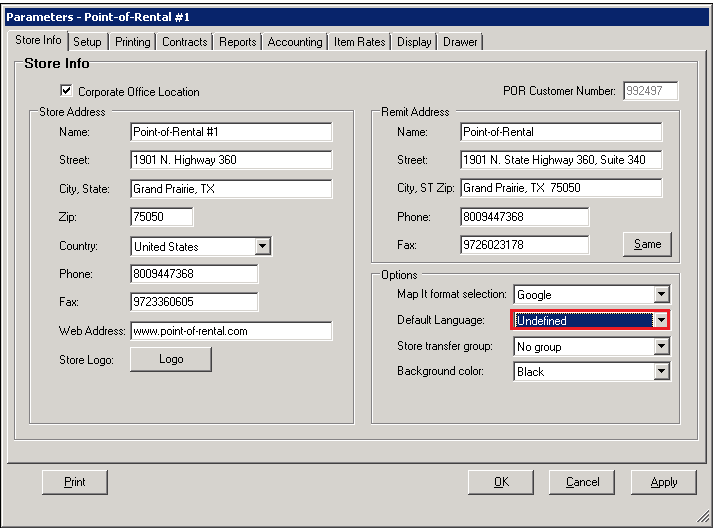
1. Go to Program Menu>System Configurations>Parameters>Options Tab
2. From the drop down menu – select Undefined
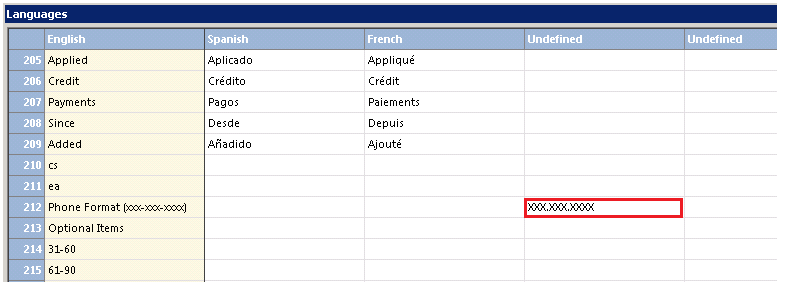
3. Go to System Configurations>Language Translations> Number 212,
4. Under the Undefined, enter the format you would like to use. Ex. (XXX.XXX.XXXX) or (XXX-XXX-XXXX).
Note: Do not enter any brackets around the telephone number.
5. When you view the contract, you will see the new format listed.
