There are times when you might need to change the status of a route once is as been assigned.(Ex.) A route may show status of finished when the driver had not made the delivery or pick up..
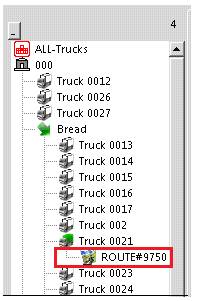
Once the contract has been assigned to a truck, you will need to go to that truck and change the route status. In the left window pane, find the truck you have the route assigned to. Under the truck number, it will show you the assigned route.
Right click on the Route under the truck number, select route view.

Here you can change the route from the drop down menu. When finished you will have the option to either, map and grid, grid only or save. Select save when done.
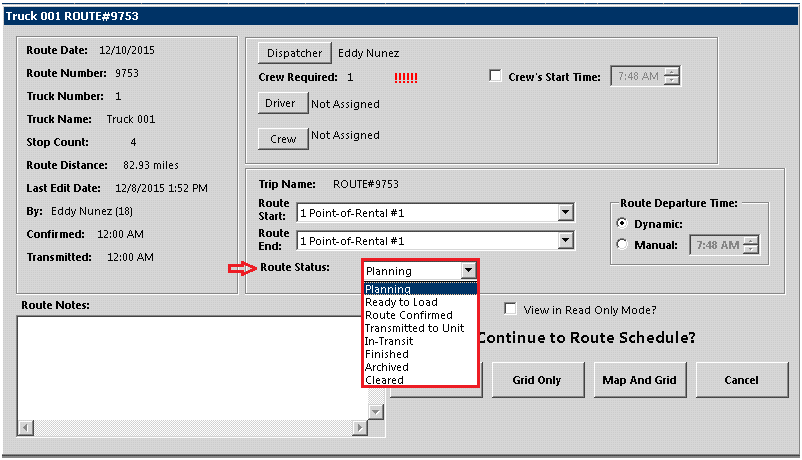
When the status has been changed you can drag and drop the contract from this route into another route.