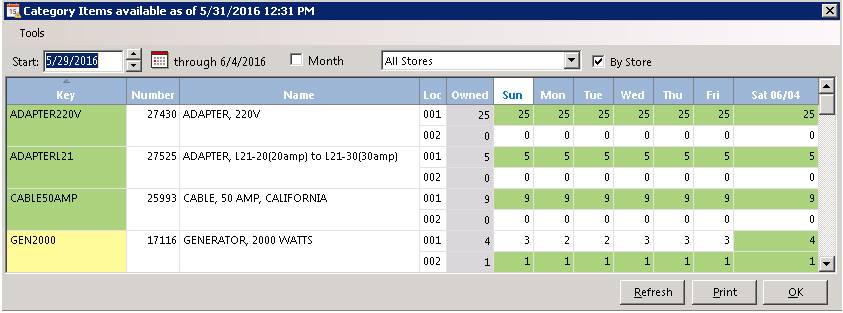
Category Availability
This button will display the availability of all of the items within this item’s category. The current week’s availability is displayed for each item. You can select the week desired by using the up and down arrows next to the Start Date filed. You can click on any of the items to display is information in the Item Availability main screen.
Group Availability
This option will display all of the items within this item’s group. A group would be between an Item Category and an Item Header. For example, you might have a category called Aerial Lifts and Platforms and an item header of 24’ Scissor Lifts. You could have all of your scissor lifts with a group of Scissor Lifts. If all of the 24’ lifts are rented, you can click Group to show all of the other lifts available such as the 19’ lifts and 26’ lifts. This menu option is only available if you have something in group field of the item.
